Temporary email services have become an essential tool for anyone who values online privacy. Whether you’re signing up for free trials, downloading resources, testing software, or protecting your primary inbox from spam, disposable email addresses offer a simple and effective solution.
However, the more temporary email addresses you create, the harder they become to manage. Many users quickly lose track of which email address belongs to which service, forget expiration dates, or accidentally lose important verification messages.
If you’ve ever struggled with keeping multiple temporary email accounts organized, this comprehensive guide will show you exactly How to Manage Multiple Temporary Email Addresses Effectively while maintaining maximum privacy and security.
Why More People Are Using Multiple Temporary Email Addresses
The internet has become increasingly data-driven. Companies collect user information, track behavior, and frequently send promotional emails long after a signup is completed.
Using separate temporary email addresses offers several benefits:
Enhanced Privacy
Every service receives a unique email address, making cross-platform tracking significantly more difficult.
Better Spam Protection
Unwanted marketing emails remain isolated from your personal inbox.
Increased Security
If one temporary email account becomes compromised, your other accounts remain unaffected.
Improved Digital Organization
Separating accounts by purpose creates a cleaner and more manageable online presence.
The Biggest Challenges of Managing Multiple Temporary Emails
While temporary email addresses provide numerous benefits, they also create organizational challenges.
Common problems include:
- Forgetting which email was used for a specific website
- Losing access to account recovery emails
- Missing important verification messages
- Confusion between active and expired addresses
- Managing multiple passwords across different services
Without a structured approach, even a handful of temporary accounts can become difficult to track.
Create a Centralized Email Management System
The most successful users treat temporary emails like business assets rather than disposable tools.
A centralized management system should include:
| Information | Purpose |
|---|---|
| Email Address | Identify account |
| Associated Website | Service tracking |
| Password | Account access |
| Creation Date | Activity monitoring |
| Expiration Date | Account lifecycle management |
| Notes | Additional account details |
Having all information stored in one location eliminates confusion.
Use a Password Manager to Track Everything
A password manager is arguably the most effective tool for organizing temporary email accounts.
Recommended Password Managers
- Bitwarden
- 1Password
- Dashlane
- LastPass
- NordPass
Benefits of Password Managers
- Secure credential storage
- Automatic synchronization
- Password generation
- Account categorization
- Encrypted backups
Instead of remembering dozens of temporary accounts manually, everything remains accessible from a single dashboard.
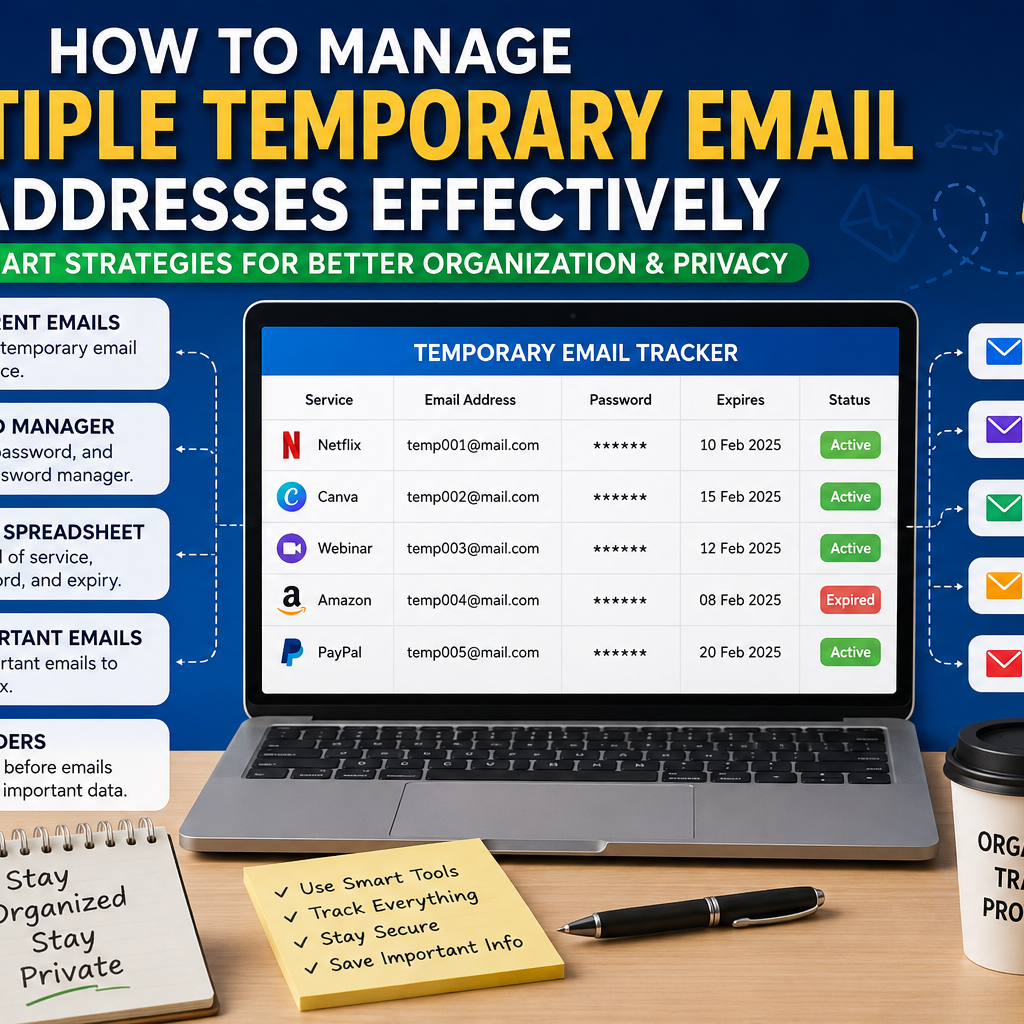
Build a Temporary Email Tracking Spreadsheet
Many power users combine password managers with spreadsheets for advanced tracking.
Suggested Spreadsheet Layout
| Service | Email Address | Created | Expires | Status |
|---|---|---|---|---|
| Netflix | [email protected] | Jan 10 | Feb 10 | Active |
| Canva | [email protected] | Jan 15 | Feb 15 | Active |
| Webinar | [email protected] | Jan 20 | Feb 20 | Expired |
Google Sheets works exceptionally well because it syncs automatically across devices.
Categorize Accounts by Purpose
One of the easiest ways to simplify management is categorization.
Shopping Accounts
Used for:
- Online stores
- Product testing
- Discount offers
- Coupon signups
Free Trial Accounts
Used for:
- Streaming platforms
- SaaS products
- Premium software trials
Testing Accounts
Used for:
- Website testing
- Software development
- QA processes
Research Accounts
Used for:
- Newsletters
- Reports
- Industry research
Grouping accounts creates a natural organizational structure.
Implement an Email Labeling Strategy
If important emails are forwarded to your primary inbox, labels become essential.
Recommended labels:
- Temporary Accounts
- Active Trials
- Verification Emails
- Subscription Confirmations
- Expired Accounts
Labels make information retrieval significantly faster.
Use Different Providers for Different Purposes
Instead of relying on one temporary email service, distribute activities across providers.
Example:
| Provider | Purpose |
|---|---|
| TempGBox | Shopping |
| Mailinator | Testing |
| Guerrilla Mail | Research |
| 10 Minute Mail | Quick Registrations |
This method naturally separates activities while improving privacy.
Save Important Verification Emails Immediately
Temporary inboxes may disappear without warning.
Always save:
- Activation links
- Purchase receipts
- Subscription confirmations
- Recovery codes
- Cancellation notices
Forward important emails to a permanent account whenever possible.
Set Automated Expiration Reminders
Many users lose valuable information simply because they forget expiration dates.
Use tools such as:
- Google Calendar
- Notion
- Todoist
- Microsoft To Do
Create reminders:
- 24 hours before expiration
- 3 days before expiration
- 7 days before expiration
This ensures enough time to save critical information.
Use Strong Password Patterns
Temporary accounts still require strong security.
A practical approach:
Service + Year + Random Characters
Examples:
- Canva2025!AB
- Netflix2025!XY
- Webinar2025!QR
Never reuse passwords across multiple accounts.
Manage Temporary Emails Across Multiple Devices
Today’s users frequently switch between smartphones, tablets, and computers.
Best practices include:
Cloud-Based Password Managers
Ensure credentials remain synchronized.
Shared Tracking Documents
Google Sheets provides real-time access everywhere.
Secure Backup Storage
Store critical screenshots and verification details securely.
Create a Monthly Cleanup Routine
Digital clutter affects productivity.
Monthly Review Checklist
- Remove expired accounts
- Archive completed trials
- Delete unnecessary entries
- Update tracking records
Quarterly Review Checklist
- Verify active accounts
- Archive important emails
- Remove outdated backups
Regular maintenance keeps your system efficient.
Advanced Privacy Strategies
For maximum anonymity:
Use Separate Browsers
Different browsers reduce tracking opportunities.
Combine VPNs with Temporary Emails
A VPN adds another layer of privacy.
Avoid Personal Information
Never include identifiable information in temporary email usernames.
Use Browser Containers
Browser profiles can separate activities even further.
Common Mistakes to Avoid
Reusing One Temporary Email
This defeats the purpose of account isolation.
Ignoring Expiration Dates
Critical information may disappear permanently.
Not Tracking Account Usage
Users often forget which service owns a specific email address.
Saving Passwords In Plain Text
Always use encrypted storage solutions.
Forgetting Recovery Information
Important account access data should always be backed up.
Frequently Asked Questions
How many temporary email addresses should I use?
Use a separate temporary email for each service whenever possible.
Are temporary emails safe?
Yes, when used with reputable providers and proper security practices.
Can temporary email accounts be recovered after expiration?
Usually not. Always save important information before expiration.
What is the best tool for temporary email organization?
Bitwarden combined with Google Sheets provides excellent management capabilities.
Should I use temporary emails for banking?
No. Financial services should always use permanent, secure email addresses.
Do temporary email services improve privacy?
Yes. They help reduce tracking, spam, and data collection activities.
Conclusion
Learning How to Manage Multiple Temporary Email Addresses Effectively is essential for maintaining privacy, security, and organization in today’s digital environment.
By combining password managers, tracking spreadsheets, account categorization, expiration reminders, and secure storage practices, you can manage dozens of temporary email accounts without confusion.
The key is consistency. Build a system, follow it regularly, and you’ll enjoy the privacy benefits of temporary email services while staying completely organized.
Author: TempGBox Editorial Team
The TempGBox team builds and maintains free privacy tools for everyday users and developers. We write about disposable email, inbox security, and data privacy based on our experience running the service.