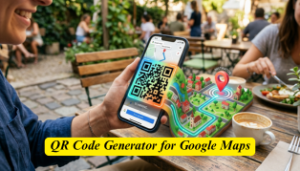
Introduction: Why QR Codes for Maps Are a Game-Changer
Have you ever struggled to explain directions to your home, shop, or event venue? You’re not alone. In today’s fast-paced digital world, nobody wants to type long addresses manually. That’s exactly where a QR Code Generator for Google Maps becomes incredibly useful.
With a simple scan, users can instantly open your exact location in Google Maps—no typing, no confusion. Whether you’re a business owner, event organizer, or just someone who loves convenience, QR codes make sharing locations seamless.
Moreover, as smartphones and contactless technology grow, QR codes are becoming a must-have tool for communication and marketing.
What is a QR Code Generator for Google Maps?
A QR Code Generator for Google Maps is a tool that converts a Google Maps location link into a scannable QR code. When scanned, it directly opens the location in the Google Maps app or browser.
This makes navigation quick, accurate, and user-friendly.
Who Should Use a QR Code Generator for Google Maps?
This tool is useful for a wide range of users:
Businesses
- Restaurants, cafes, and retail stores
- Clinics, salons, and offices
- Real estate agents
Event Organizers
- Weddings and parties
- Corporate events
- Conferences and exhibitions
Individuals
- Sharing home location with guests
- Sending directions to friends
- Travel bloggers and influencers
In short, anyone who wants to simplify directions can benefit from using a QR code.
How Does a QR Code Generator for Google Maps Work?
The process is surprisingly simple:
- Open Google Maps
- Search for your desired location
- Copy the location link
- Paste it into a QR code generator
- Generate and download your QR code
You can easily try it here:
👉 QR Code Generator for Google Maps
Step-by-Step Guide to Create a QR Code for Google Maps
Step 1: Find Your Location
Go to Google Maps and search your address or drop a pin.
Step 2: Copy the Link
Click on “Share” and copy the location URL.
Step 3: Use a QR Code Generator
Paste the link into a trusted tool like:
👉 https://tempgbox.net/tools/qr-generator
Step 4: Customize (Optional)
- Add colors
- Insert logo
- Choose design
Step 5: Download & Share
Download your QR code and use it on:
- Business cards
- Posters
- Invitations
- Websites
Top Benefits of Using a QR Code Generator for Google Maps
1. Instant Navigation
Users can reach your location in seconds with a simple scan.
2. No Typing Errors
Long or complex addresses often lead to mistakes. QR codes eliminate this issue.
3. Improved Customer Experience
Customers appreciate convenience—and QR codes deliver exactly that.
4. Perfect for Offline Marketing
You can print QR codes on:
- Flyers
- Banners
- Packaging
5. Contactless Sharing
Especially useful in post-pandemic environments.
Real-Life Examples & Use Cases
Example 1: Restaurant Owner
A café prints a QR code on its menu. Customers scan it to find directions instantly.
Example 2: Wedding Invitation
Instead of writing directions, couples include a QR code for the venue.
Example 3: Delivery Services
Delivery drivers scan QR codes to locate addresses faster.
Example 4: Real Estate Agents
Agents add QR codes on property boards for easy navigation.
Best Practices for Using Google Maps QR Codes
To get the most out of your QR codes, follow these tips:
Make It Visible
Place the QR code where users can easily scan it.
Use High-Quality Images
Avoid blurry QR codes—they won’t scan properly.
Test Before Sharing
Always scan your QR code to ensure it works.
Add a Call-to-Action
For example:
- “Scan to Find Us”
- “Get Directions Instantly”
Keep It Updated
If your location changes, update the QR code.
Static vs Dynamic QR Codes: Which One is Better?
Static QR Codes
- Fixed data
- Free to create
- Cannot be edited
Dynamic QR Codes
- Editable links
- Trackable scans
- Ideal for businesses
If you run a business, dynamic QR codes are a smarter choice.
Common Mistakes to Avoid
Even though QR codes are simple, people often make mistakes:
- Using low contrast colors
- Making the code too small
- Not testing before printing
- Linking incorrect locations
Avoid these errors to ensure a smooth experience.
Common Questions People Ask
“How do I create a QR code for my location?”
Simply copy your Google Maps link and paste it into a QR code generator.
“Can I use QR codes for my business location?”
Yes, it’s one of the best ways to help customers find you quickly.
“Are Google Maps QR codes free?”
Many tools offer free QR code generation, especially for static codes.
Advanced Tips to Maximize Results
Add Branding
Customize your QR code with your brand colors or logo.
Track Performance
Use dynamic QR codes to track how many people scan your code.
Use Across Platforms
- Website
- Social media
- Email signatures
Combine with Offers
For example:
“Scan for directions & get 10% off!”
Why Choose an Online QR Code Generator?
Online tools are:
- Fast
- Easy to use
- Accessible from anywhere
You don’t need technical skills. Within seconds, your QR code is ready.
👉 Try it now: QR code Generator
Frequently Asked Questions (FAQ)
1. Can I create a QR code for any location?
Yes, as long as it exists on Google Maps, you can generate a QR code for it.
2. Do QR codes expire?
Static QR codes don’t expire. However, dynamic ones may depend on the service provider.
3. Is it safe to use QR codes?
Yes, if you generate them from trusted tools and link to secure pages.
4. Can I edit my QR code later?
Only dynamic QR codes allow editing after creation.
5. Where should I place my QR code?
Use high-visibility areas like entrances, posters, packaging, or digital platforms.
Conclusion: Simplify Location Sharing Today
A QR Code Generator for Google Maps is more than just a tool—it’s a smart solution for modern communication. Whether you’re running a business, planning an event, or simply helping someone find your place, QR codes make everything faster and easier.
Moreover, with minimal effort and maximum impact, they improve user experience, boost engagement, and enhance your brand visibility.
So why wait?
👉 Start creating your QR code today: https://tempgbox.net/tools
Author: TempGBox Editorial Team
The TempGBox team builds and maintains free privacy tools for everyday users and developers. We write about disposable email, inbox security, and data privacy based on our experience running the service.